
How to Avoid Forgotten Passwords and Admin Site Lockouts
International System Research Co., Ltd.
January 18, 2023
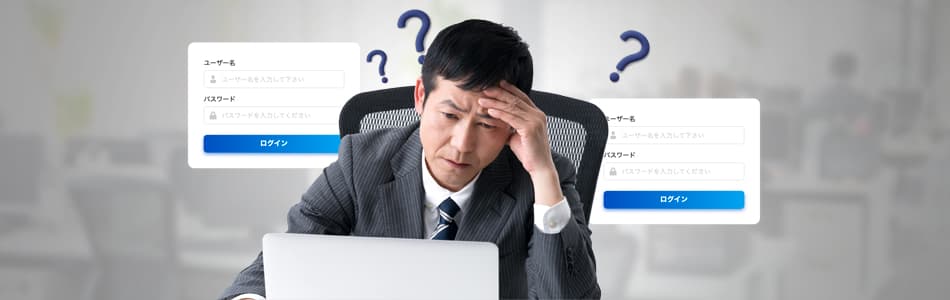
Every month, the CloudGate support team receives inquiries from multiple administrators who are locked out of their admin sites. The most common reason for this trouble is a forgotten password. How can you prevent such issues and ensure secure authentication?
Table of Contents
The Wide Impact of an Administrator Forgetting Their Password

Let's consider the problem of what happens when an IT administrator forgets the password to access the admin site.
Being unable to access the admin site means no work or tasks can be performed there, which can cause significant disruption. Not only will the administrator's own work be stalled, but they won't be able to promptly respond to urgent inquiries from users, potentially leading to difficult situations.
Furthermore, if a user forgets their password, they can request a password reset from an in-house administrator, resolving the issue internally and relatively quickly. However, if no one else in the company can access the admin site, you might have no choice but to contact the service provider.
Service providers, upon receiving a password reset request, will often first verify the identity of the person making the request to prevent impersonation. If identity verification isn't completed accurately, it can take a long time before access is restored.
Typically, the information used for identity verification is a recovery password specified during the initial service contract. However, such information isn't used in daily work, making it hard to remember. Moreover, if this information isn't properly handed over due to administrator departures, identity verification could take even longer, stalling all administrative tasks.
How to Recover Your Password Yourself
To prevent such situations, ISR guides CloudGate UNO administrators on the following self-recovery methods:
• Prepare two or more administrator accounts
Distributing system administration duties by assigning different administrators per task or department serves as essential risk management.
• Set up password recovery features in advance
CloudGate UNO allows you to reset your password yourself using the password recovery feature if you forget it.
However, even with these preparations for self-recovery, it will still take some minimum amount of time, meaning business operations are likely to be halted to some extent.
The Limitations of Password-Only Authentication
Fundamentally, password-only authentication mechanisms have several security issues. The most conceivable risk for an administrator site is the compromise of administrator privileges. If that password is easy-to-remember or set to personally identifiable information, it can be easily bypassed through phishing or brute-force attacks.
1Password surveyed 2,000 North American workers about employee behaviors regarding cybersecurity. According to this report, 50% of respondents stated that the biggest threat facing their company is employees falling for scams and phishing. Despite this awareness, bad security practices remain deeply entrenched.
Common bad habits include:
49% of respondents used personally identifiable information in their passwords.
34% of respondents reused passwords, knowing the risks.
The survey also revealed how people struggle to remember their work passwords:

49% Just remember it

24% Write it down

29% Use a manager
As work applications increase, simple memorization becomes insufficient. While password managers are an option, their master passwords represent a single point of failure, and reliable services often incur additional costs.
The Rise of One-Time Passwords and Their Pitfalls
As people realized the dangers of single-factor authentication, One-Time Passwords (OTP) became common. An OTP is a disposable password valid only for a short period.

Authentication relies on three factors: "knowledge," "possession," and "biometrics." Using multiple factors strengthens security.
Standard ID and password authentication is just "knowledge." Adding an OTP introduces a "possession" factor (your phone), qualifying as Multi-Factor Authentication (MFA).
However, OTPs are not foolproof. They are still vulnerable to sophisticated phishing scams where authentication tokens are intercepted in real-time. So, what is the truly secure alternative?
The Solution: Passwordless Authentication
If passwords are the fundamental management and security problem, the best solution is to adopt a "passwordless" approach.
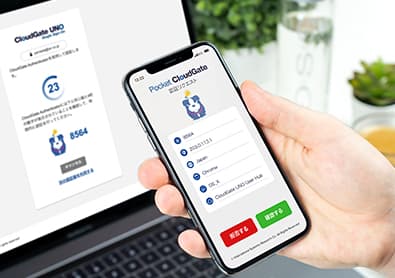
CloudGate UNO enables passwordless authentication (FIDO2 / Pocket CloudGate) across all plans. It utilizes biometric information (fingerprint/face) or local PINs to verify identity on your own device.
This eliminates the need to remember complex passwords and reduces authentication friction. Crucially, biometric data is stored securely on the device and never sent over the network, making it virtually immune to remote theft via phishing.
Summary
Administrator lockouts have serious consequences:
- Operation Stalls: Forgotton passwords block urgent user requests and system updates.
- Security Risks: Simple passwords used for easy memorization are vulnerable to brute-force attacks.
- MFA Weakness: While better than passwords alone, OTPs can still be phished.
Implementing FIDO2 passwordless authentication provides the strongest defense against phishing while ensuring administrators never have to worry about being locked out due to a forgotten password again.